
For post-frame & barndominium builders
Run the whole
business from
one screen.
Leads, jobs, crews, calls, texts and payments — on the website and in the iPhone app, with your SmartBuild and IdeaRoom designs pulled straight in. Stop running the company out of text threads and memory.
- iPhone app for the office and the crew
- Your own business number for calls & texts
- BarnBoss AI on call, day and night
- Every feature in every plan
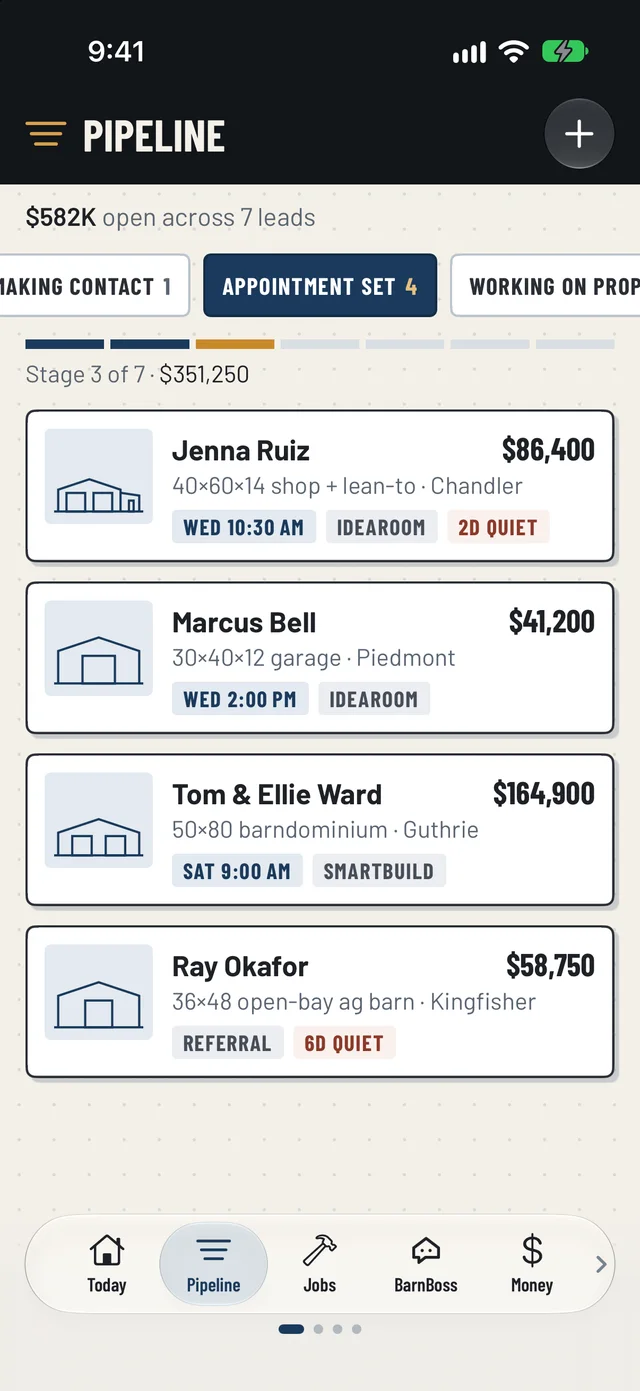
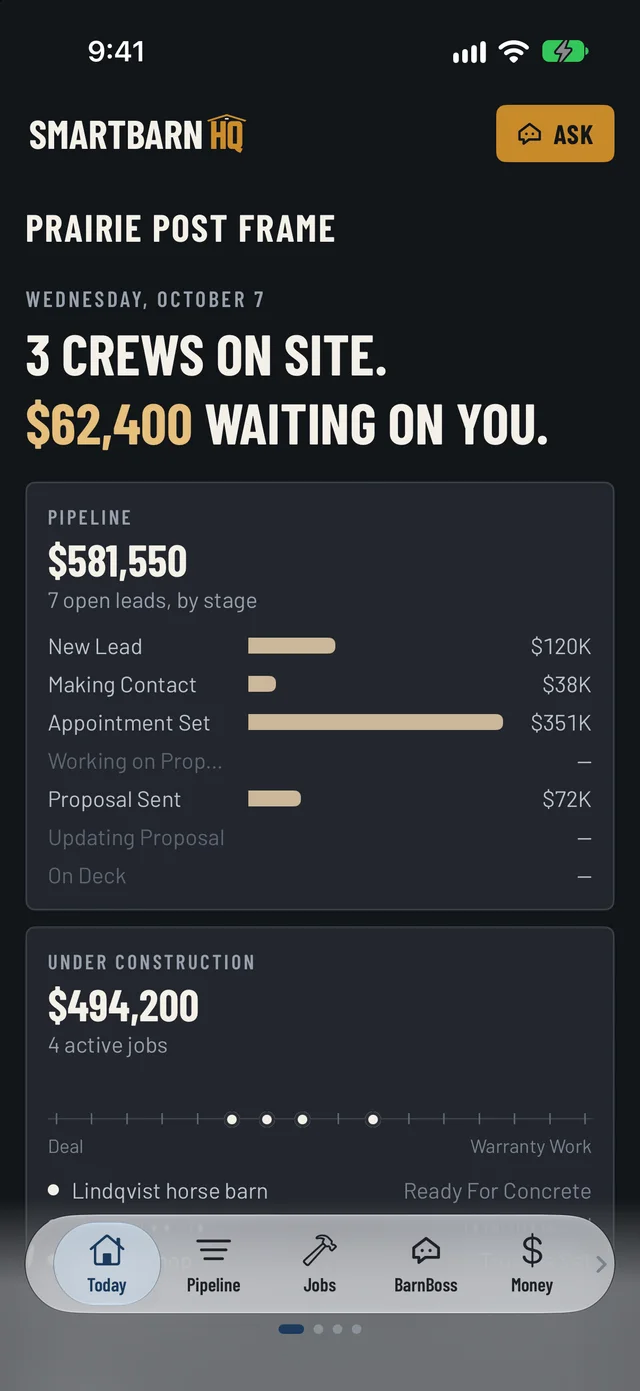
Real screens from the SmartBarn HQ iPhone app, shown with sample data.
One system, in the order you work
Everything between “got a lead” and “check collected.”
Sell it
Every lead on one board, worked your way — from New Lead to Deal. The building they designed comes with them, so you can quote before you call.
- IdeaRoom designs arrive as leads, with size, pitch and doors
- SmartBuild estimates land on the lead, priced
- Quiet leads get chased; win one and the job builds itself
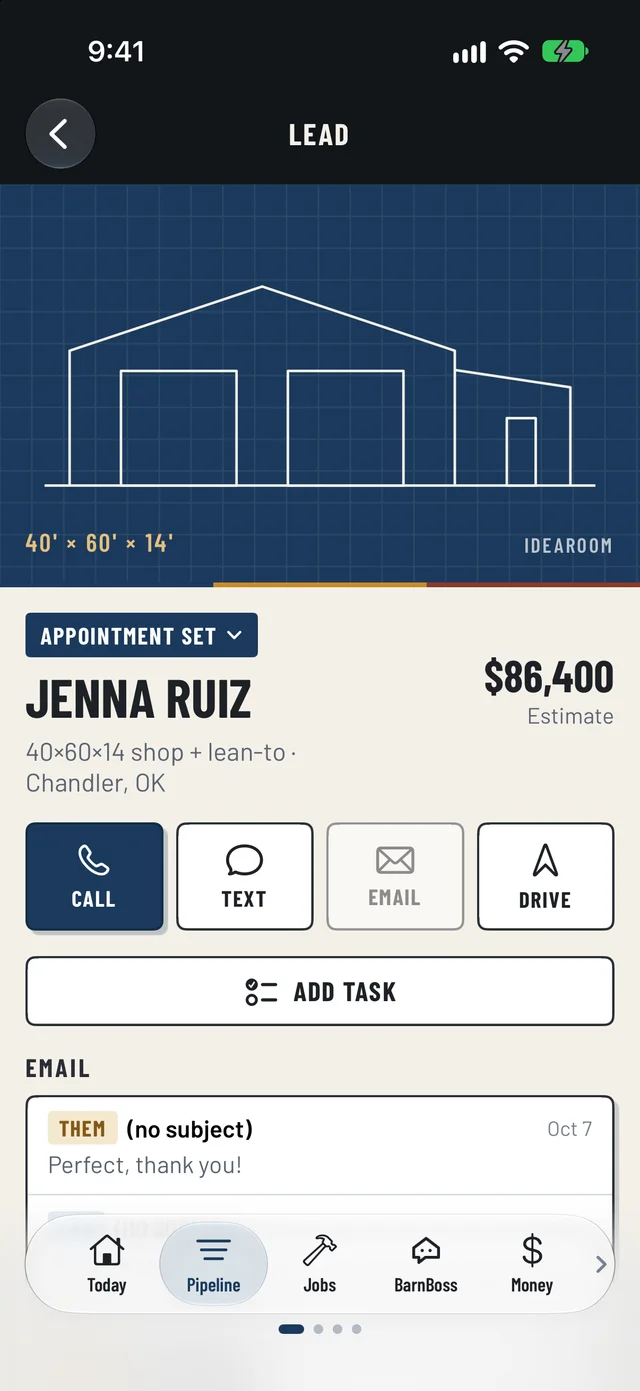
Sheet S-1 · The real app
Build it
Your stages, your words — Trusses Set, Ready For Concrete. Every job shows where it's at, what's left, and the photos to prove it.
- Stage checklists, with photo-required boxes
- Crew photos filed as proof of the stage they finished
- Customer portal that answers “where are we?” before they ask
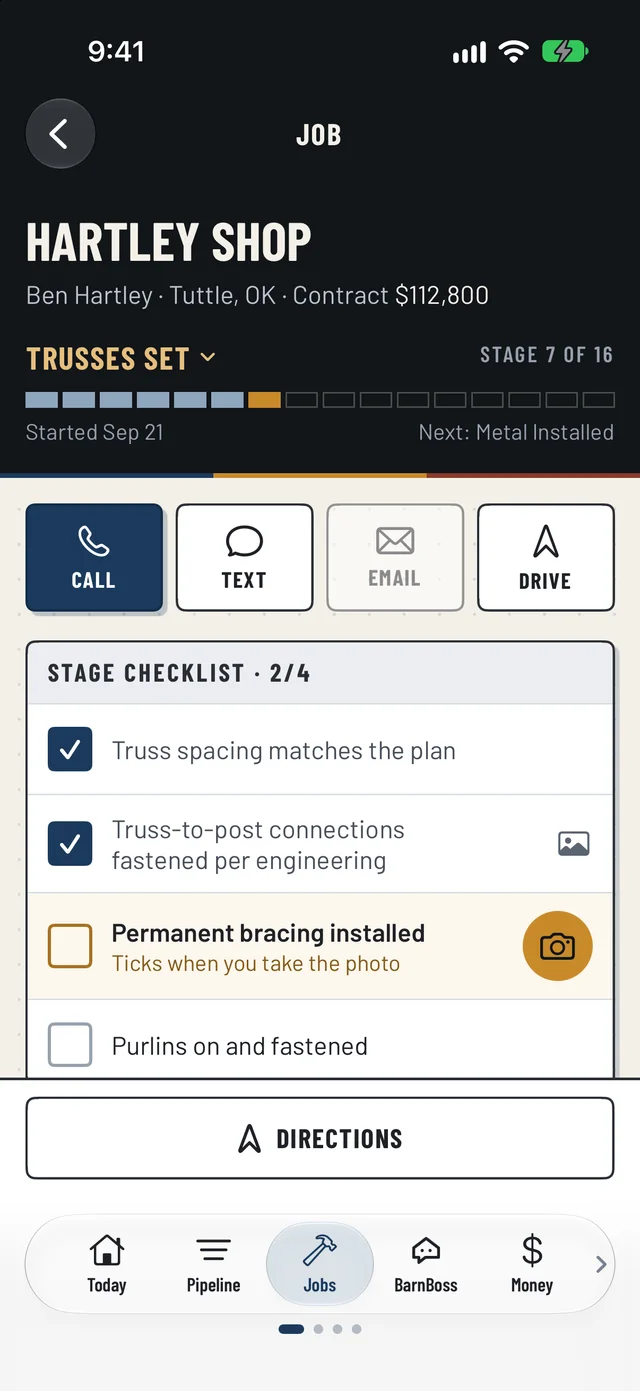
Sheet S-2 · The real app
Talk to customers
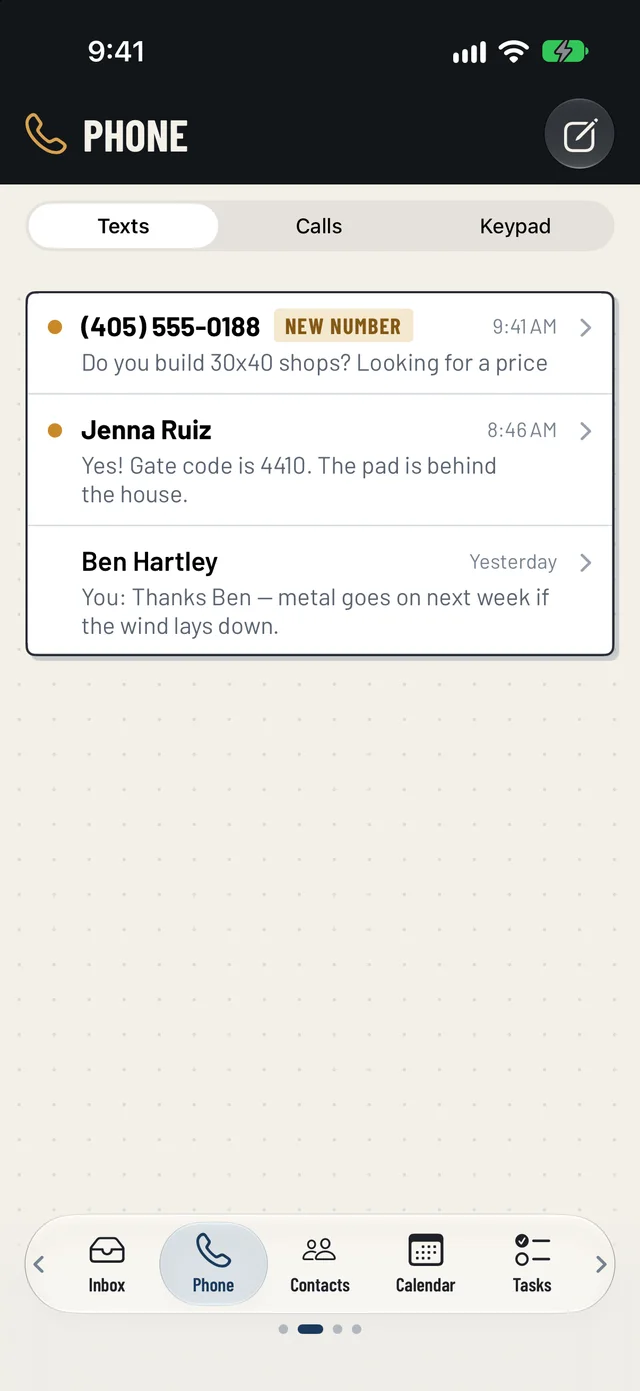
Calls and texts go out from your business number — never your cell phone — and every call, text and email lands on the customer's record.
- Your own business number, ringing your iPhone and your browser
- Texts with every customer, in one place, filed under their name
- Contacts with every way to reach them — call, text, email, drive
Sheet S-3 · The real app
Get paid
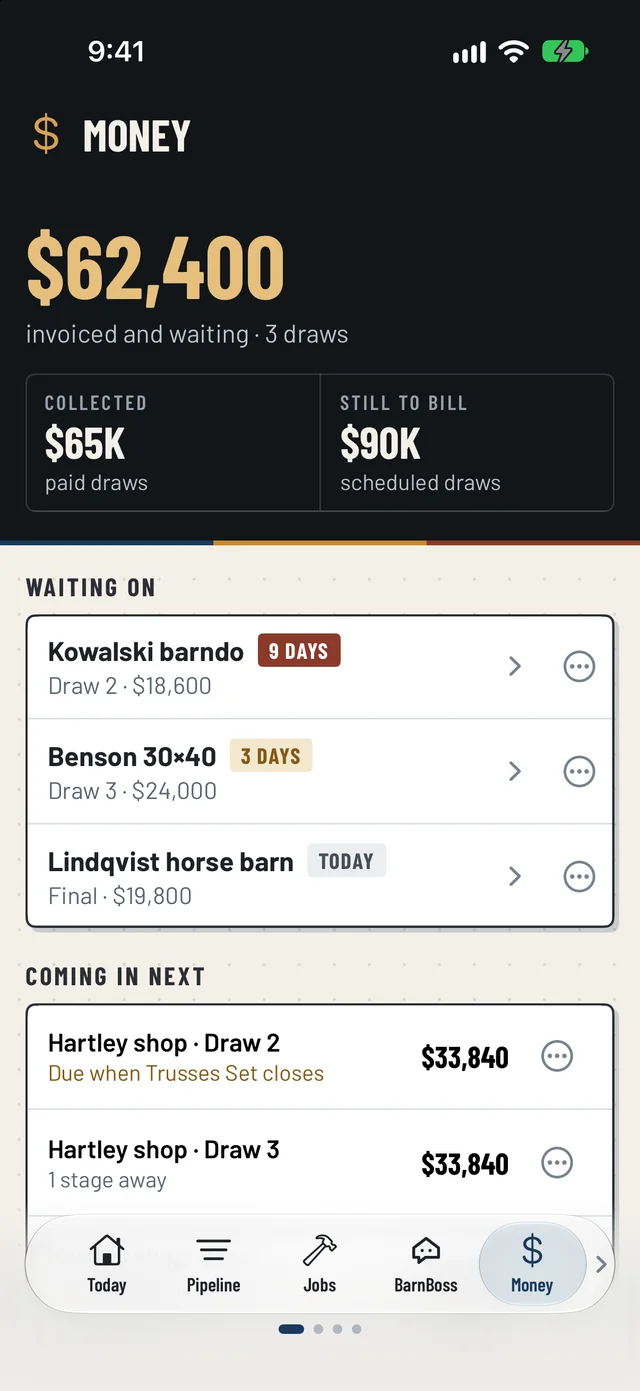
The draw schedule is born with the deal. Hit the trigger stage and the invoice writes itself, ready to send.
- 50 / 25 / 15 / 10 draws, automated
- One Money screen — waiting, collected, still to bill
- QuickBooks connected, so the books keep up
Sheet S-4 · The real app
For the crew
Their whole day on one screen.
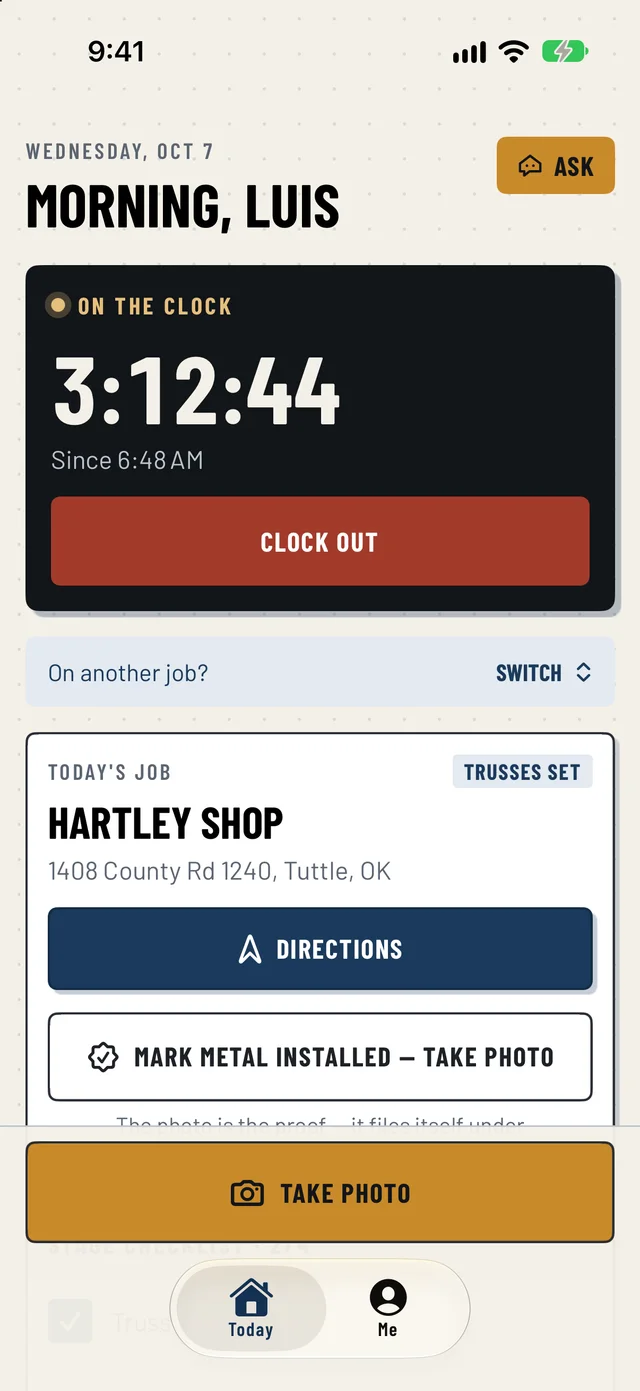
No training day. The crew opens the app and it's today's job — where it is, what's left on the checklist, and a camera button big enough to hit with gloves on.
Clock in on site
Time lands on the job's costs — no timesheets to chase on Friday.
Photo proof moves the job
“Mark Metal Installed — take photo” moves the job on and tells the office.
Works with no signal
Photos wait on the phone and send themselves when there's a bar again.
Directions and the checklist
One tap to the site; boxes that need a photo tick when it's taken.
BarnBoss, your AI office hand
Ask it like you'd ask the office.
BarnBoss reads your whole business — leads, jobs, draws, the calendar — and answers in plain words, on the website or the phone. It drafts, it reminds, it finds things. It never changes anything without you.
- “Who hasn't heard from us this week?”
- “Remind me to call the truss yard Thursday”
- “Write a Facebook post about the Hartley shop”
- “How do I add a contact?” — it knows the app, too
BarnBoss
Example · sample company
Who owes us money right now?
$62,400 invoiced and waiting, across 3 draws:
- Kowalski barndo — Draw 2, $18,600, 9 days out
- Benson 30×40 — Draw 3, $24,000, 3 days
- Lindqvist horse barn — final, $19,800, sent today
Want a reminder to call the Kowalskis?
Yes, Friday morning.
Coming from GoHighLevel or a spreadsheet?
Bring everything across. Switch over when you're ready.
01
Bring your book
Contacts, open deals with their stage and status, notes, upcoming appointments, tasks and do-not-text lists — from GoHighLevel, or a spreadsheet from anywhere else. BarnBoss walks you through how your old setup maps across.
02
Shadow mode
Both systems run side by side while you switch. SmartBarn HQ keeps copying from GoHighLevel and holds every automatic message, so no customer gets two texts for one thing.
03
Keep your number
Your business number moves over — usually within a few business days — and keeps ringing where it is until it does. The day it lands, turn shadow mode off.

Native integrations
Your SmartBuild and IdeaRoom work, already inside.
A customer designs their building in IdeaRoom and it lands as a lead — size, pitch, doors and all. Your team quotes in SmartBuild and the estimate, material list and price come straight onto the lead, then follow it to the job when they sign.
One price. The whole office.
Like hiring an assistant who already knows the post-frame business.
One flat monthly price replaces the CRM, the project tracker, the scheduling app, the e-sign service, the texting tool and the spreadsheet holding it all together — with BarnBoss on duty around the clock. Every tier gets every feature, the iPhone app included.
From the first call
to the final check.
Set up your company in minutes. Bring your leads with you, and have the crew on the app by Monday.
Talk to Us →